
Payment with Wise.com
Complete Your Payment in 4 Simple Steps
Follow our quick guide below to securely send your payment via Wise.com using your Credit / Debit Card or SWIFT Transfer.
1
Sign up & add basic info
2
Enter order amount
3
Enter recipient details
4
Select payment option
Follow the step-by-step guide below to complete your payment securely via Wise.com using your Credit / Debit Card or SWIFT Transfer.
Watch Video: Watch this video to the step-by-step process.
Recipient’s Bank And Address Information
Business Name
CREATOR EXPORTS MEDICARE
Account number
676405602031
IFSC
ICIC0006764
Bank name
ICICI BANK LIMITED
Currency
USD
Country
India
Recipient City
Jaipur
Recipient Address
9, Ramdev Nagar, Nayla Road, Jaisingh Pura Khor
Recipient Post Code
302027
Step-by-Step Payment Guide
1
Go to Wise.com/signup and Create an Account on Wise
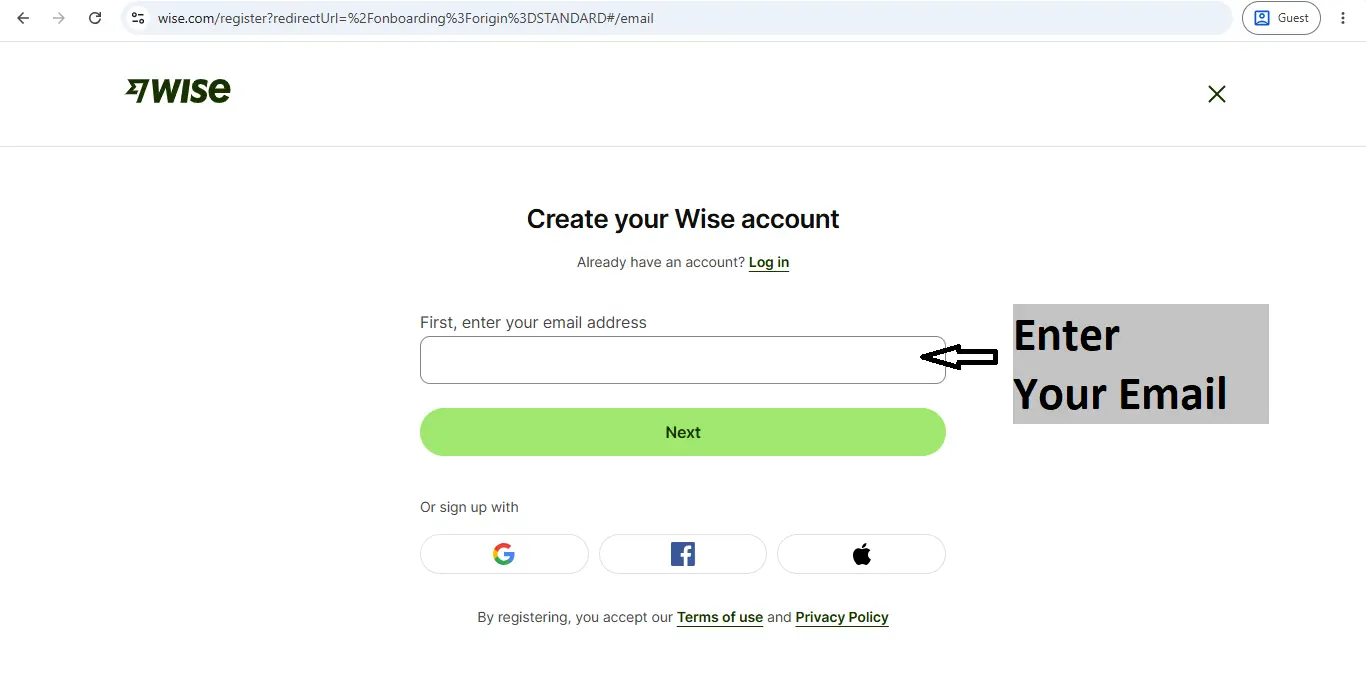
Enter your email and sign up with Google, Facebook, Apply. Registration is free.
You will then receive an OTP for verification on your email, which you need to enter in the next step.
You will then receive an OTP for verification on your email, which you need to enter in the next step.
2
Select Send Money option
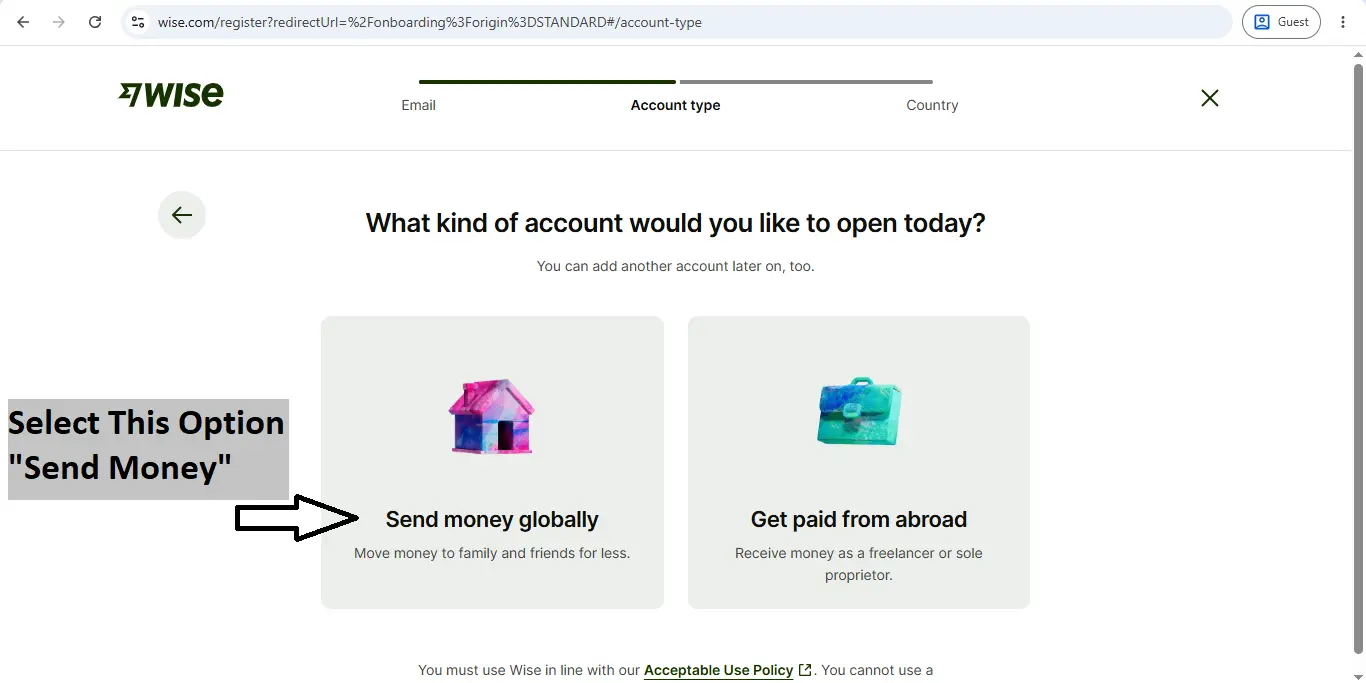
Select “Send money globally option.
3
Select Your live Country?
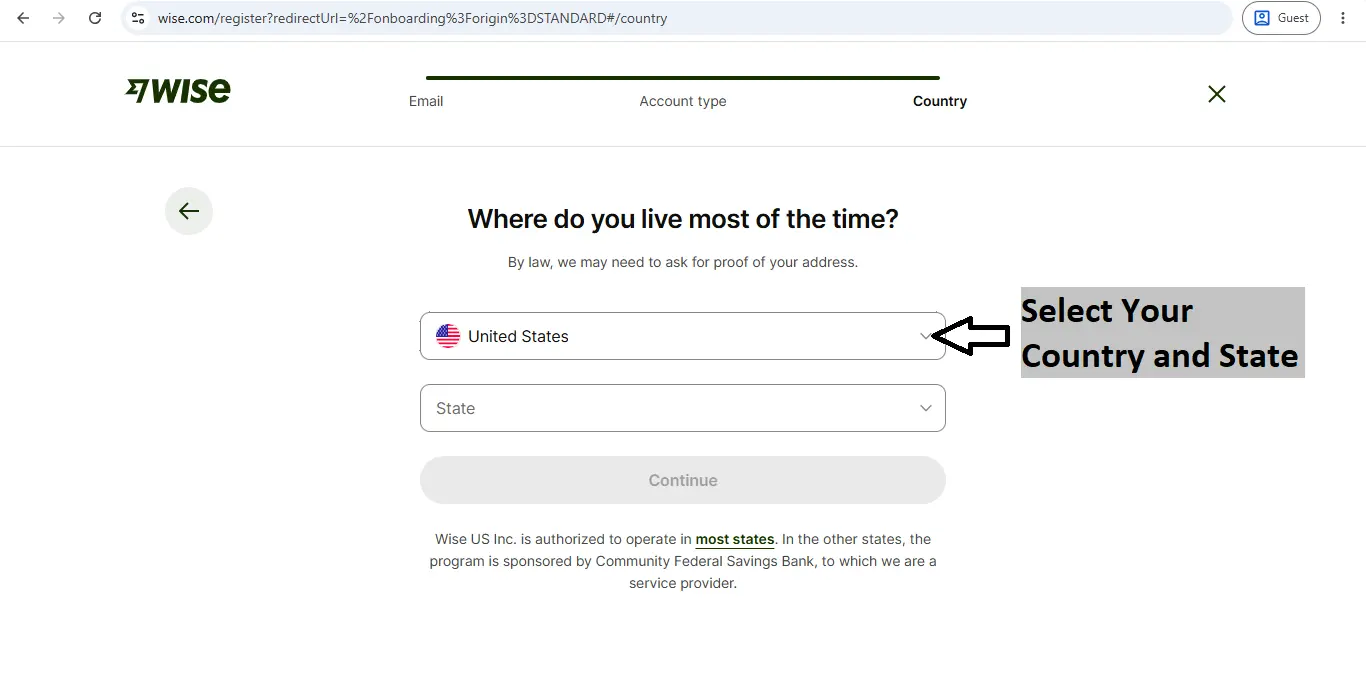
Select Your Country and State
4
Press “Continue” Button
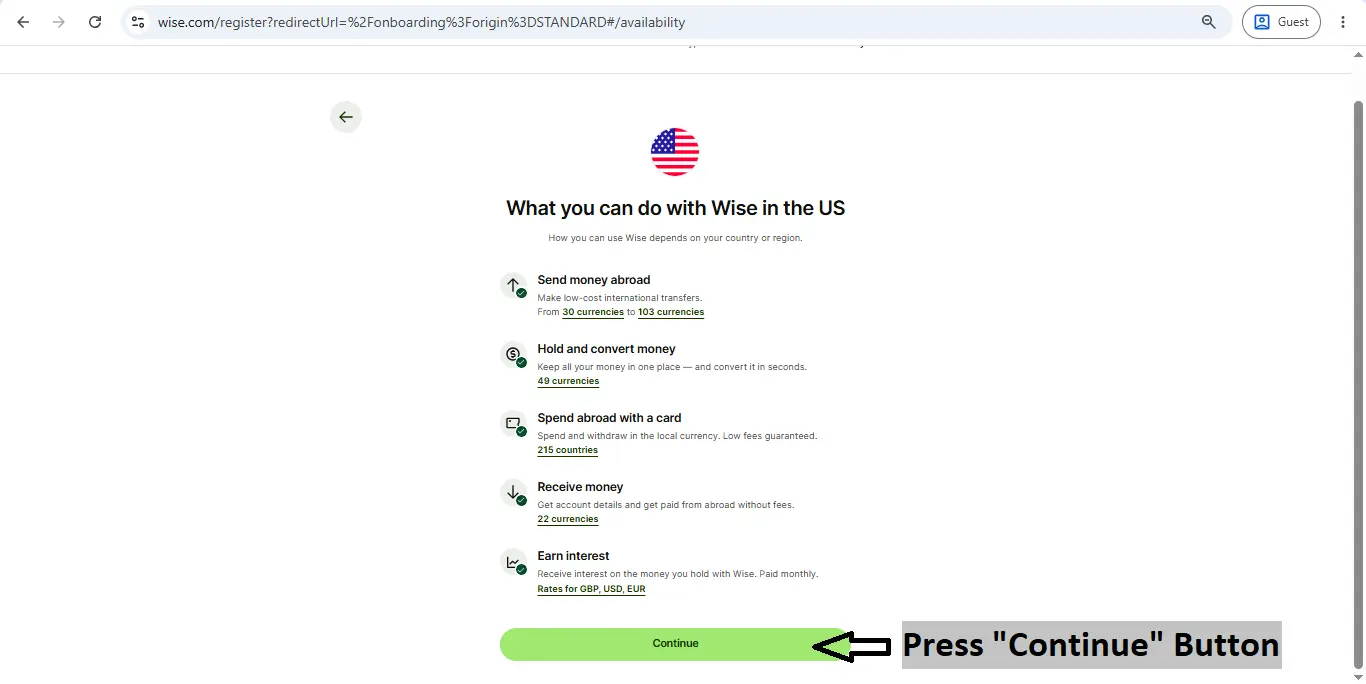
Press “Continue” Button
5
Enter Your Phone Number
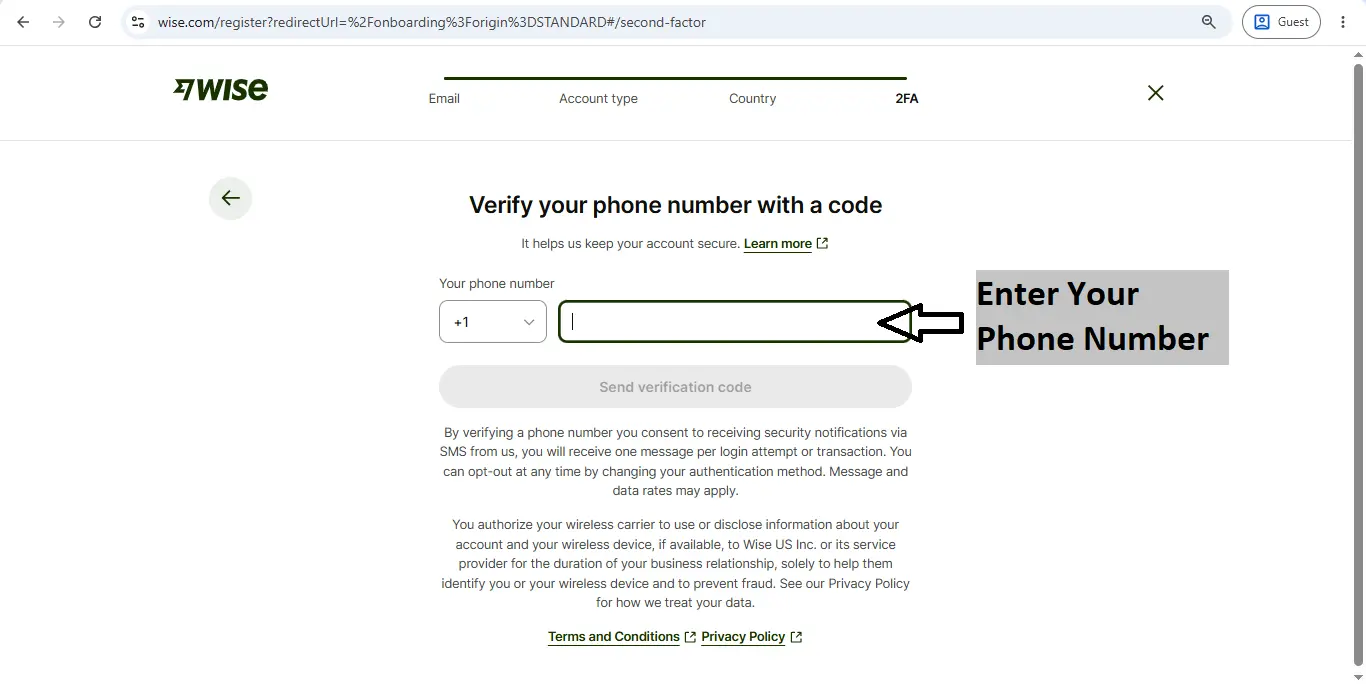
Select your counrty code, Then Enter Your Phone Number .
You will then receive a verification OTP on your phone number; enter it in the next step to verify your phone number.
You will then receive a verification OTP on your phone number; enter it in the next step to verify your phone number.
6
Create your Password
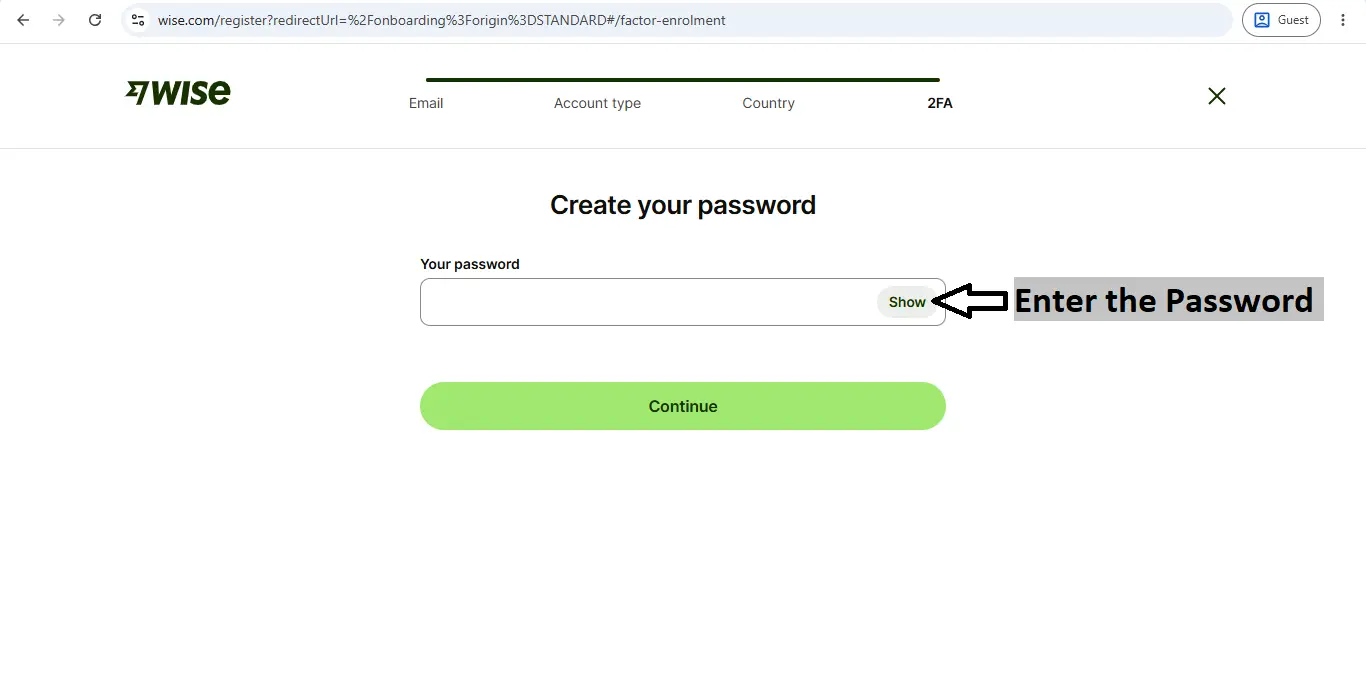
Create your password
(You will need to re-enter your password when you want to check your payment, so please choose a password that you can remember.)
(You will need to re-enter your password when you want to check your payment, so please choose a password that you can remember.)
7
Enter Your Basic Information
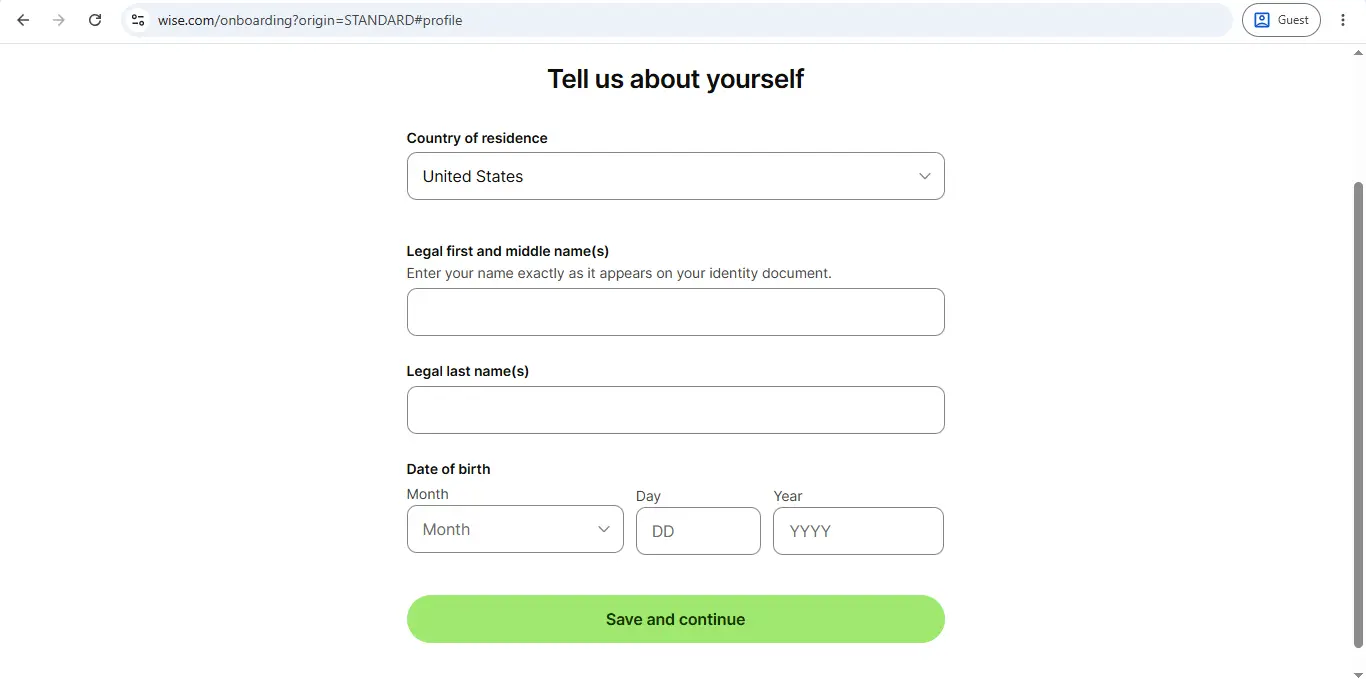
Enter Your Counrty, First name, Last name and Date of birth
8
Enter Your Address
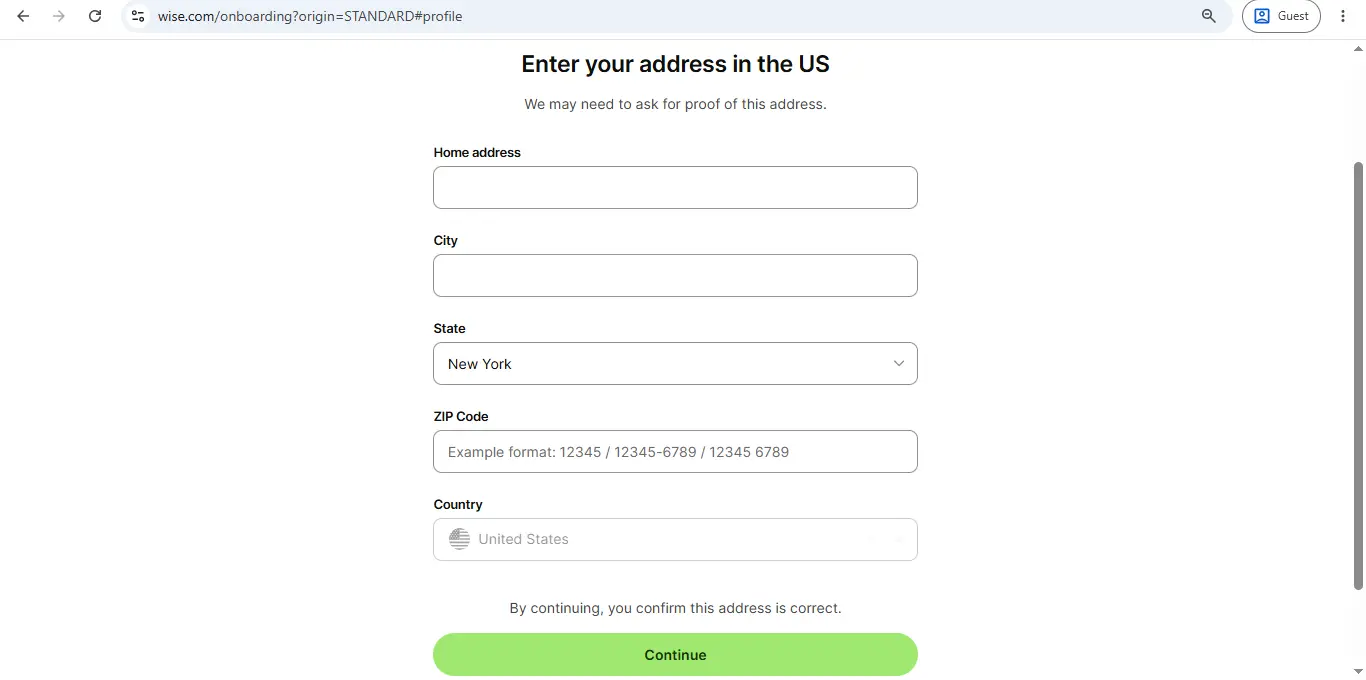
Enter Your Address, City, State, Zip code, Counrty
9
Enter Additional Information
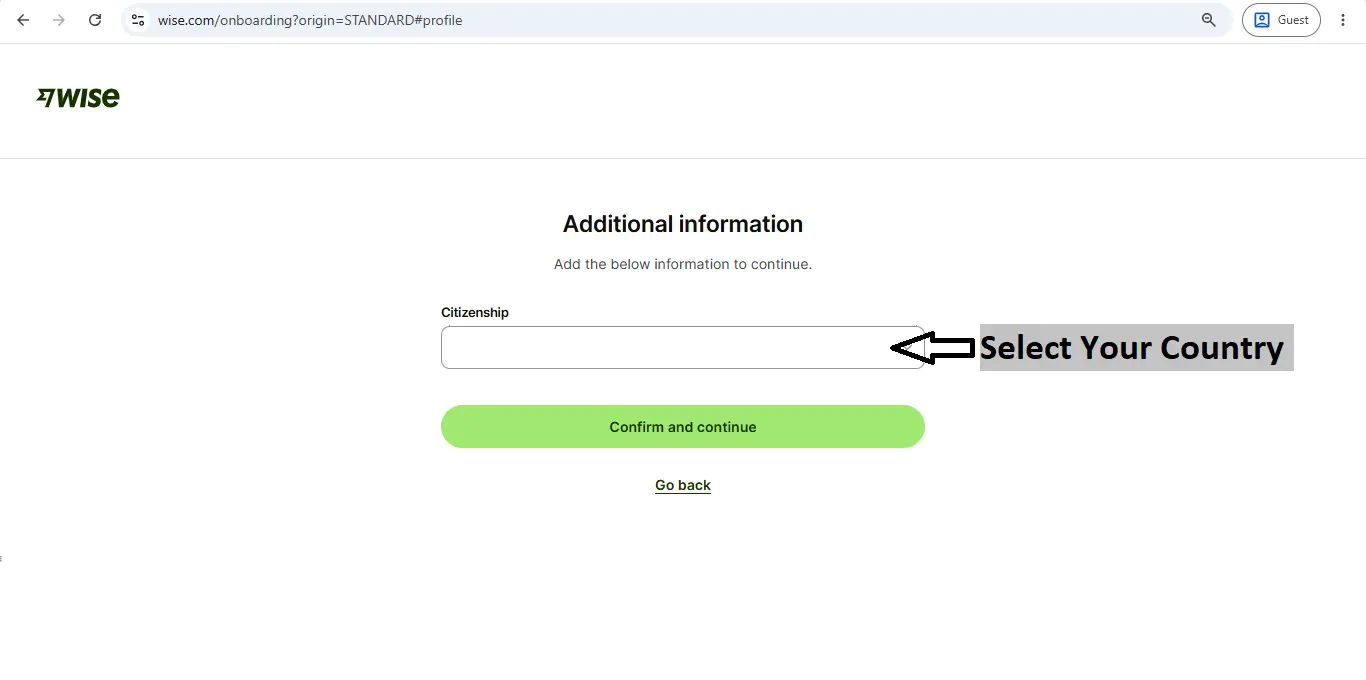
Select Your Counrty
10
Click on “Send Money” option
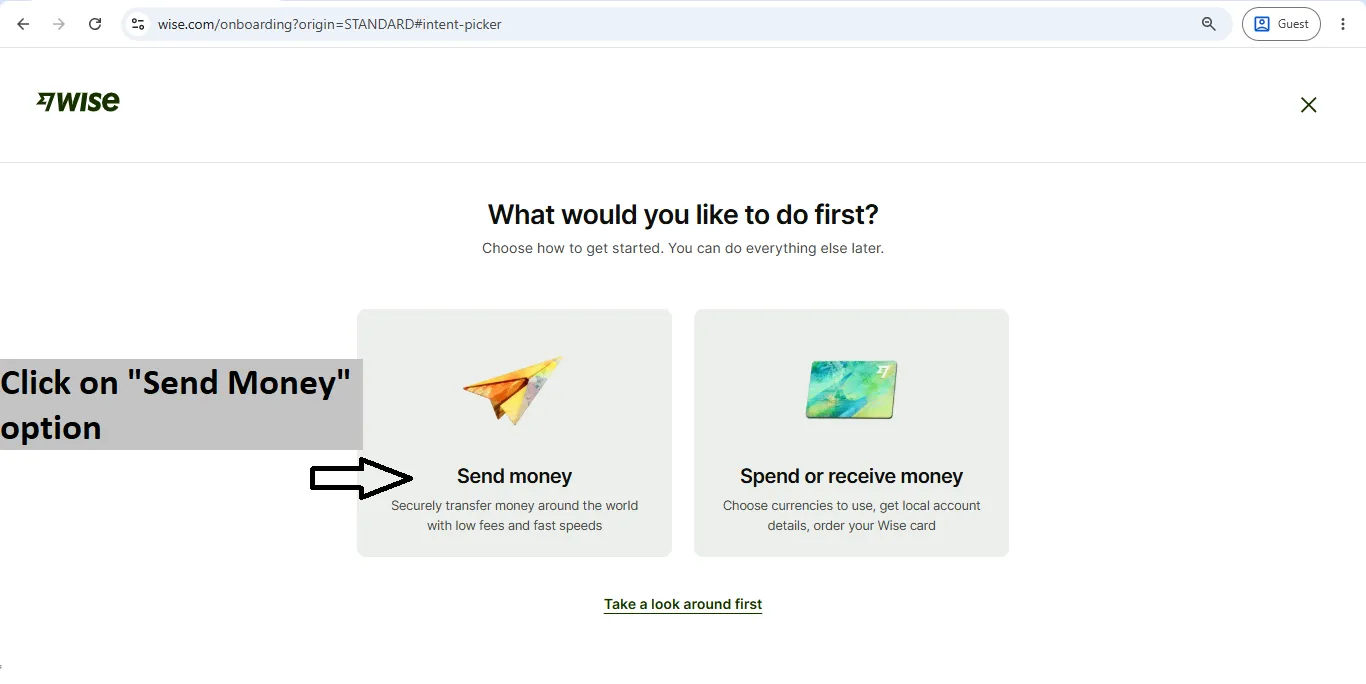
Click on “Send Money” option
11
Select “India” option always
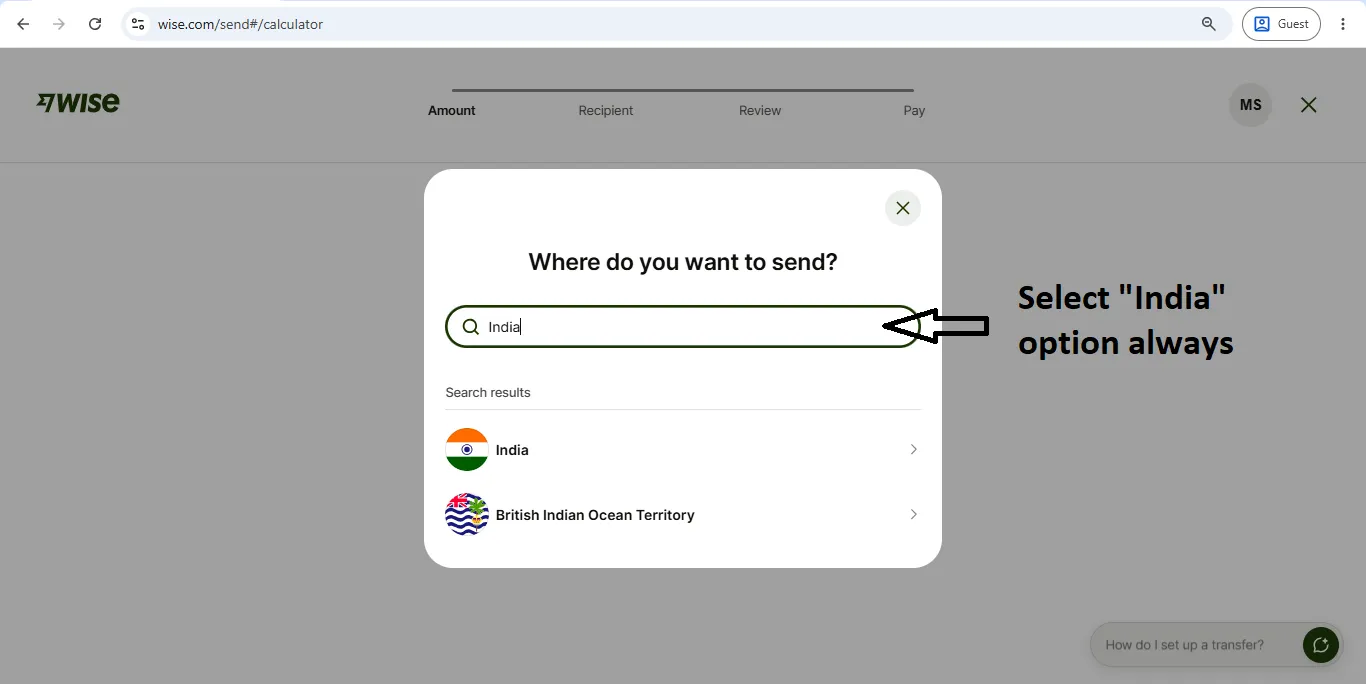
Select “India” option always
12
Enter Your Order Amount in “USD”
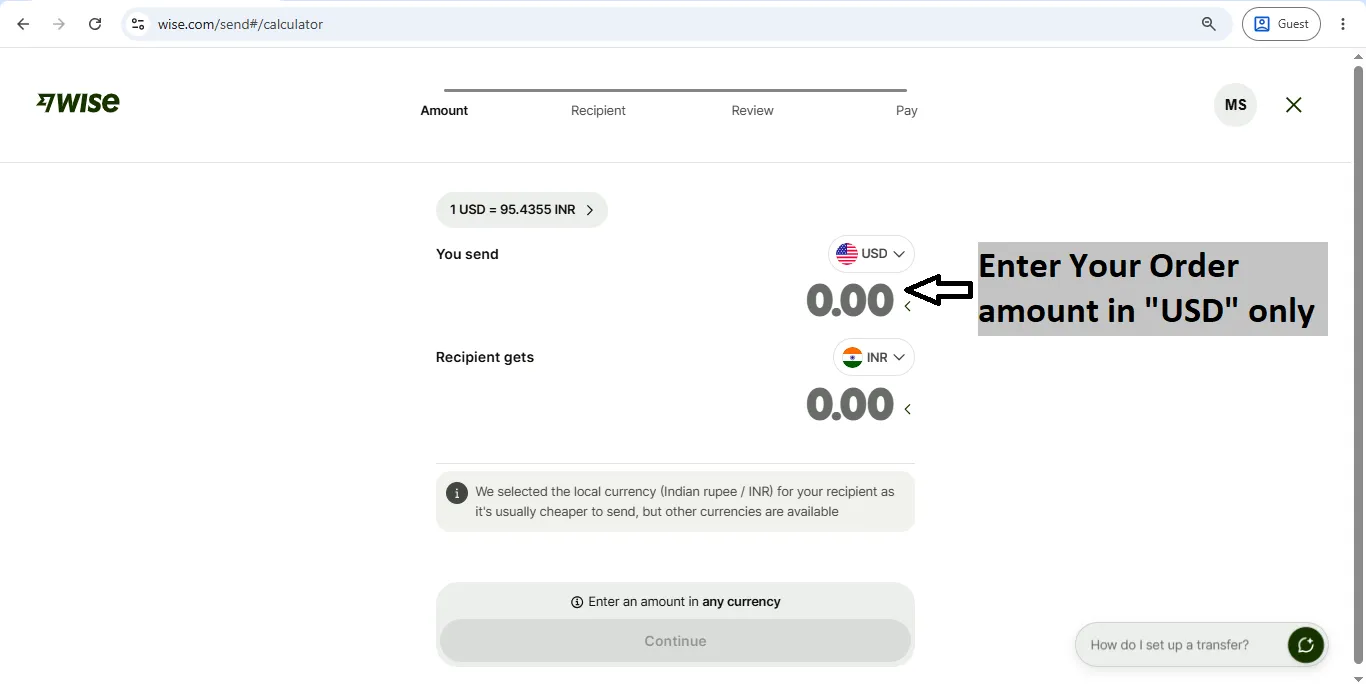
Enter Your Total Order Amount in “USD” only
13
Select “Bank Details” option
Select: “Upload screenshot and invoice” option (Filled Automatically)
Select: “Upload screenshot and invoice” option (Filled Automatically)
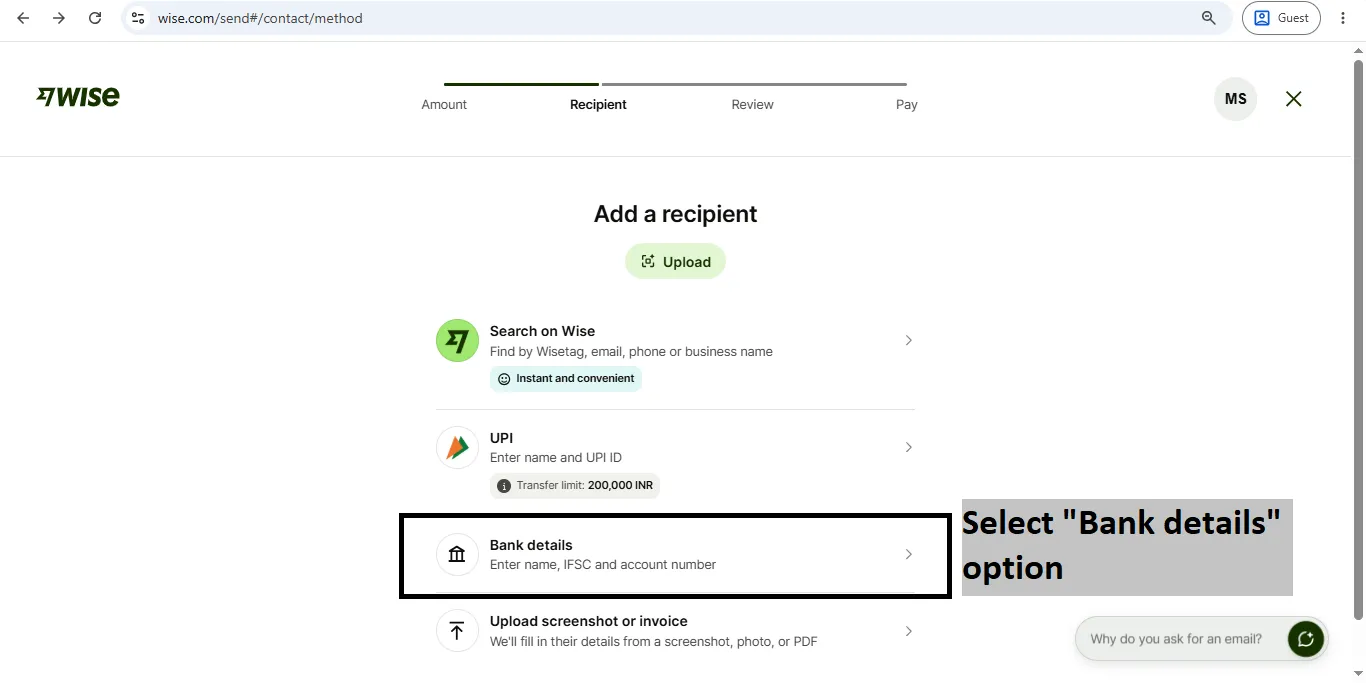
Select “Bank Details” option
Select: “Upload screenshot and invoice” option (This way, you won’t need to enter the information manually; it will all be filled in automatically.)
Click here to download the screenshot of the details. “Download here”
(You can upload the downloaded file by going to “Upload Screenshot and Invoice” this option, which will automatically fill in all the recipient’s details.)
Select: “Upload screenshot and invoice” option (This way, you won’t need to enter the information manually; it will all be filled in automatically.)
Click here to download the screenshot of the details. “Download here”
(You can upload the downloaded file by going to “Upload Screenshot and Invoice” this option, which will automatically fill in all the recipient’s details.)
14
Select “Business” option
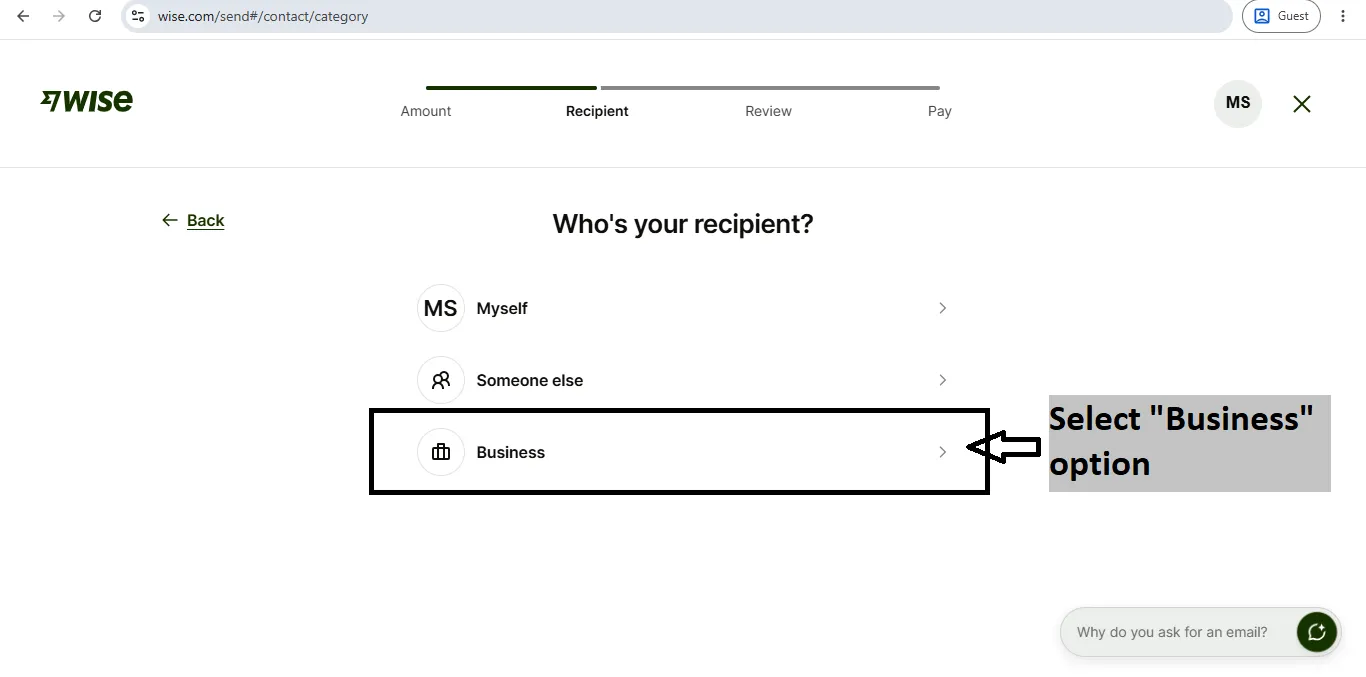
Select: “Business” option only
15
Recipient’s bank details & Address
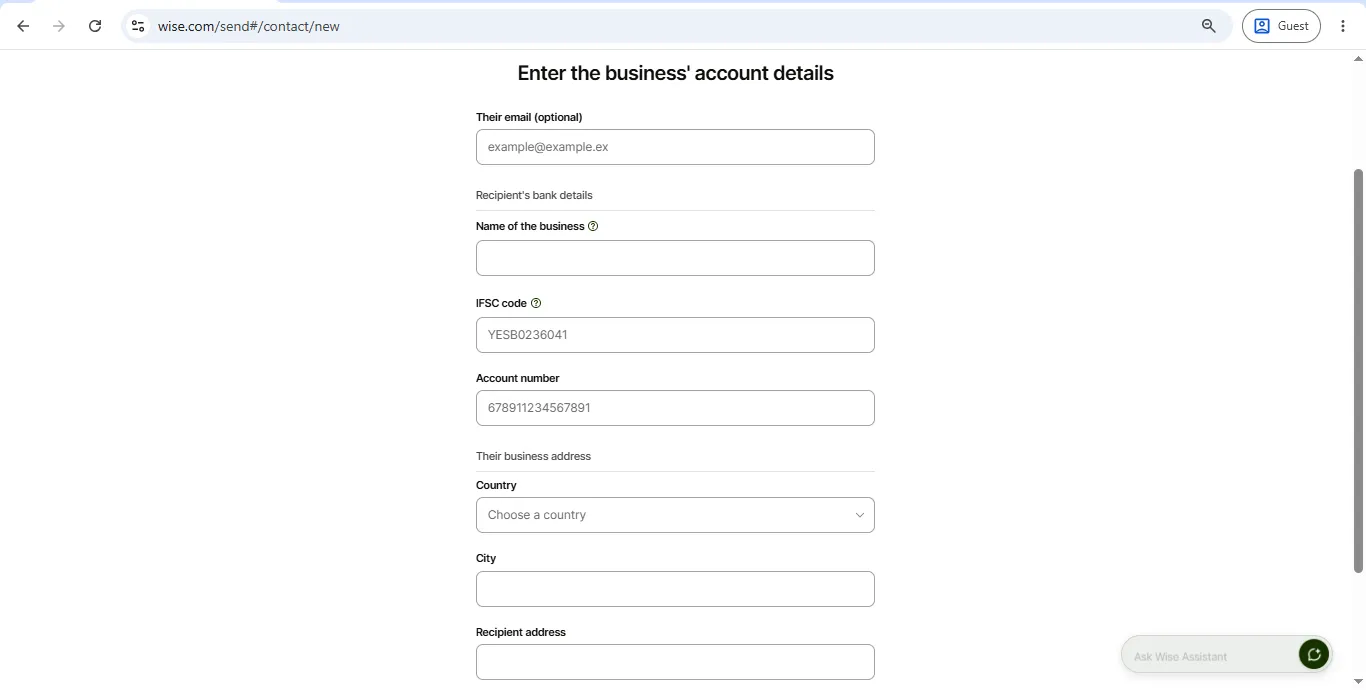
Enter Recipient bank details & Address:
- Email: This is optional; you can skip it.
- Name of the Business: CREATOR EXPORTS MEDICARE
- IFSC: ICIC0006764
- Account Number: 676405602031
- Recipient Country: India
- Recipient City: Jaipur
- Recipient Address: 9, Ramdev Nagar, Nayla Road, Jaisinghpura Khor
- Recipient Post Code: 302027
16
Select Payment Reason And Enter Order Number
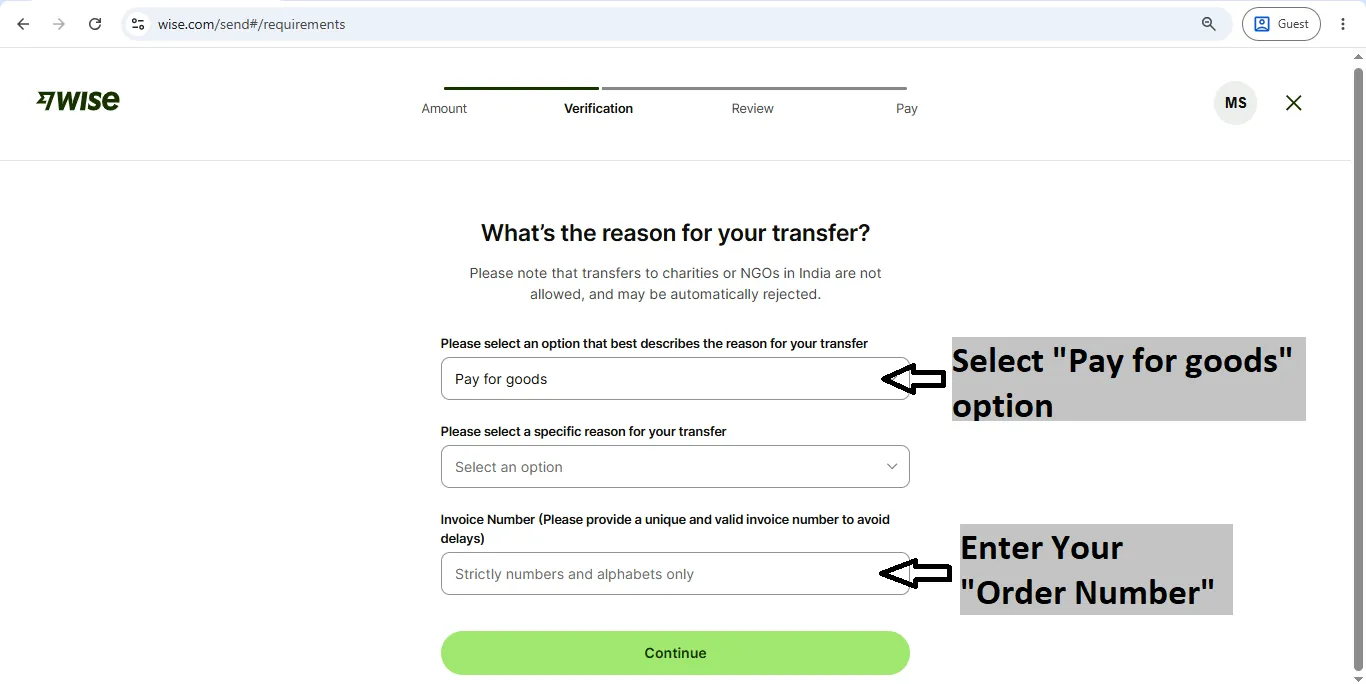
Select Reason of Transfer: “Pay of goods”
Invoice Number: Enter Your Order Number
You can skip any remaining “optional” fields.
Invoice Number: Enter Your Order Number
You can skip any remaining “optional” fields.
17
Review Your Details
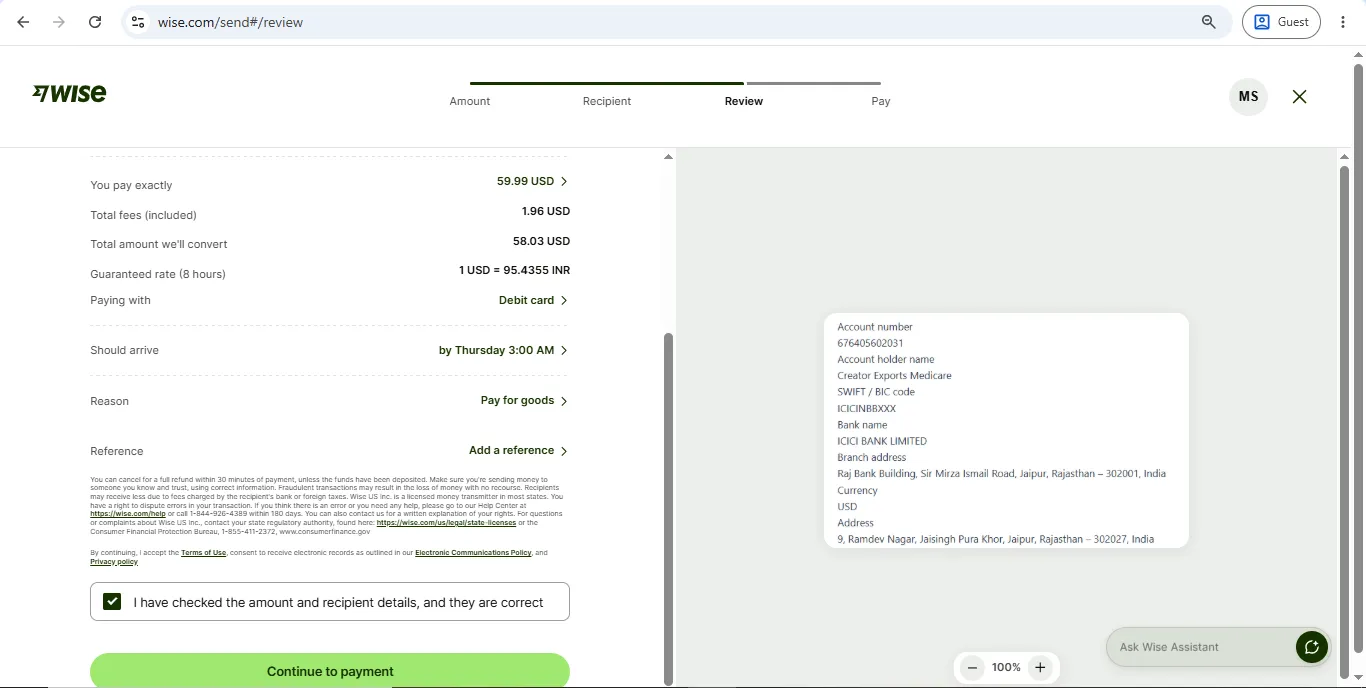
Review All details, then press “Continue to payment” Button
18
Enter card details & complete payment
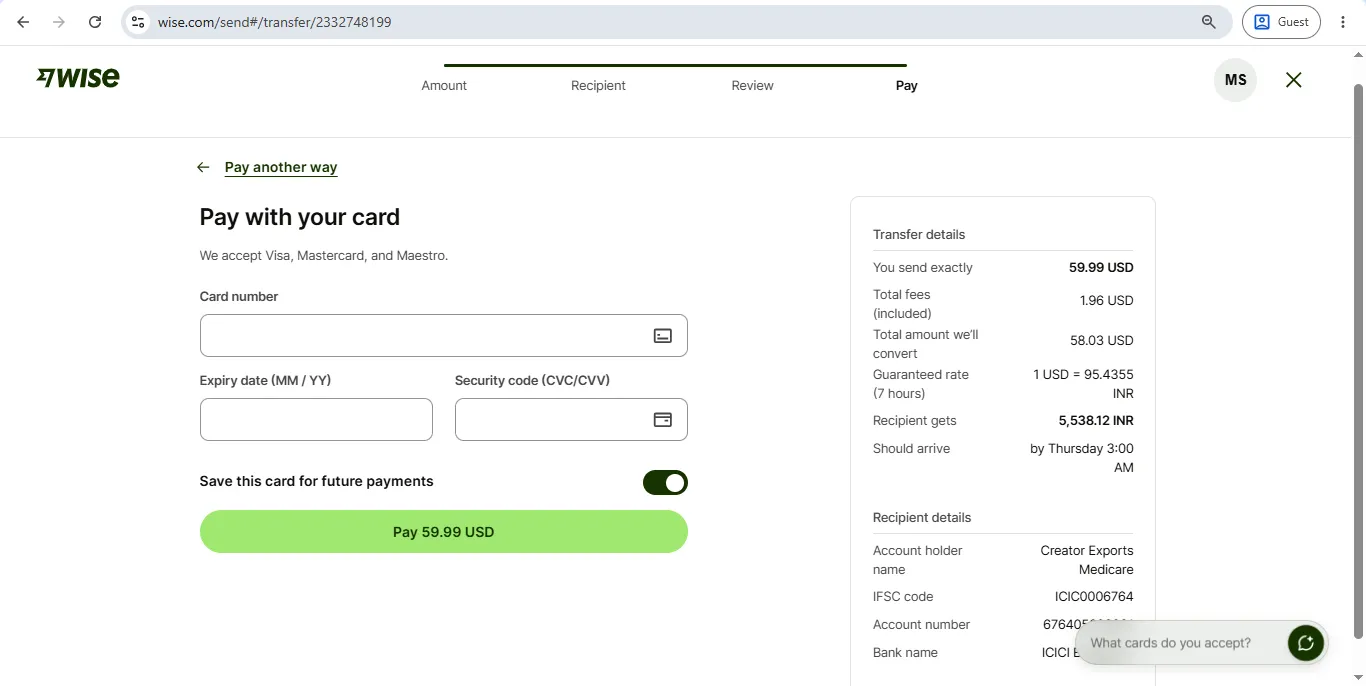
Enter Card Details: Card number, Expiry date, Security Code. Then click on the ‘Pay’ button. Your payment will then be successfully completed!
After Making Payment
1
Send us your payment receipt — please email a screenshot or PDF of your Wise transaction confirmation to info@lifetimepills.com or send via WhatsApp.
2
Order verification — as soon as we confirm the payment is received in our account, your order will be dispatched immediately.
3
Tracking ID — you will receive your Tracking ID within 24–48 hours of payment confirmation.